
What are the features of the ticketing system?
What are the features of the ticketing system?
Ticketing systems are essential tools for managing customer inquiries, issues, and service requests in various organizations. These systems come with a wide range of features designed to streamline operations, enhance efficiency, and improve customer satisfaction. These systems come equipped with a variety of features that enable organizations to efficiently track, prioritize, and resolve tickets while providing a seamless experience for users. Let’s delve into the key features of ticketing systems:
1) Ticket Submission Channels:
Ticketing systems typically support multiple channels for users to submit their inquiries and requests. These channels may include email, web forms, phone calls, live chat, and self-service portals. By offering various submission channels, ticketing systems ensure accessibility and convenience for users, allowing them to choose the most suitable method for submitting their requests.
2) Ticket Creation and Logging:
When a user submits a request through a ticketing system, a new ticket is created automatically. This ticket contains essential information such as the user’s contact details, the nature of the request, any attachments or screenshots, and a timestamp. Ticketing systems capture and log this information to ensure that all requests are documented and tracked throughout their lifecycle.
3) Ticket Classification and Prioritization:
Ticketing systems enable support teams to classify and prioritize tickets based on factors such as severity, type of request, and customer priority. This classification helps support teams triage incoming requests effectively, ensuring that critical issues are addressed promptly while less urgent requests are managed on time. Priority levels may include categories such as high, medium, low, or critical, depending on the organization’s needs.
4) Ticket Assignment and Routing:
Once a ticket is created, ticketing systems facilitate the assignment and routing of tickets to the appropriate support agents or teams for resolution. Assignment rules can be configured within the ticketing system to automatically assign tickets based on predefined criteria such as agent availability, skillset, or workload. By routing tickets to the most suitable resource, ticketing systems ensure efficient allocation of resources and timely resolution of issues.
5) Communication and Collaboration Tools:
Ticketing systems provide communication and collaboration tools to facilitate interactions between support agents, users, and other stakeholders. These tools may include internal notes, @mentions, file attachments, and threaded discussions within ticket threads. By enabling seamless communication and collaboration, ticketing systems ensure that support teams can collaborate effectively to resolve issues and provide updates to users.
6) Tracking and Monitoring:
Throughout the lifecycle of a ticket, ticketing systems track and monitor its progress, documenting any updates, interactions, or troubleshooting steps taken. Support teams can monitor ticket queues and performance metrics in real time to ensure that tickets are being addressed promptly and that service level agreements (SLAs) are met. Additionally, ticketing systems may offer dashboards and reporting features to provide insights into ticket volumes, resolution times, and other key metrics for performance analysis.
7) Resolution and Closure:
Once an issue has been resolved or a request fulfilled, ticketing systems facilitate the resolution and closure of tickets. Support agents can update ticket statuses, document resolution details, and notify users of the outcome. Depending on the organization’s workflow, tickets may be closed automatically after resolution or require confirmation from the user before closure. Closing tickets ensures that issues are properly documented and tracked to completion, providing a sense of closure for both support teams and users.
8) Self-Service and Knowledge Base:
Many ticketing systems include self-service features and knowledge base functionality to empower users to find answers to their questions independently. Users can search the knowledge base for articles, FAQs, troubleshooting guides, and solutions to common issues before submitting a ticket. By providing self-service options, ticketing systems reduce the workload on support teams, enable faster issue resolution, and empower users to resolve their issues more quickly.
9) Automation and Workflow Customization:
Ticketing systems often include automation features and workflow customization options to streamline processes and improve efficiency. These features allow organizations to automate repetitive tasks, set up custom workflows for specific types of requests, and define escalation rules for handling critical issues. By automating routine tasks and customizing workflows, ticketing systems help organizations optimize their support operations and ensure consistent service delivery.
10) Integration and Extensibility:
Ticketing systems may offer integration capabilities with other IT systems and tools, such as monitoring systems, CRM platforms, collaboration tools, and IT service management (ITSM) solutions. Integration allows organizations to centralize data and workflows, streamline processes, and provide a seamless experience for users and support teams. Additionally, ticketing systems may support extensibility through APIs and plugins, enabling organizations to customize and extend the functionality of the system to meet their specific requirements.
Ticketing systems offer a wide range of features designed to streamline request management, enhance efficiency, and improve customer satisfaction. From ticket submission channels and classification to communication tools, tracking capabilities, self-service options, automation features, and integration capabilities, ticketing systems provide organizations with the tools they need to effectively manage customer inquiries, issues, and service requests, ultimately contributing to the success and competitiveness of the organization.
Explore Creative Social Intranet
Boost Understanding with Quick Answers
Our Latest Intranet News and Articles
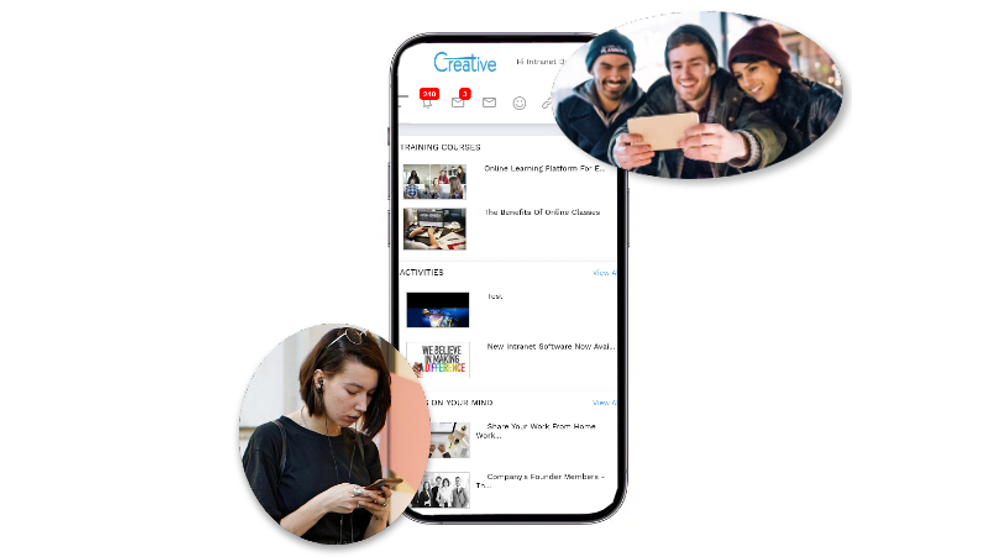
How Digital Workplace Solutions Improve Internal Communication in India?
Introduction In today’s fast-paced corporate environment, organizations across India are increasingly adopting digital tools to improve collaboration and communication. As companies grow and teams become more distributed, traditional communication methods such as emails, scattered chats, and manual updates often lead to confusion, delays, and disengaged employees. This is where a digital workplace solution India becomes essential. A modern digital workplace connects employees, information, and business tools on a single platform, enabling organizations to streamline internal communication and enhance productivity. For Indian enterprises navigating hybrid work environments and geographically dispersed teams, implementing the right enterprise intranet platform India, internal communication software … How Digital Workplace Solutions Improve Internal Communication in India?

How AI-Powered Mobile Apps Are Transforming Internal Communication?
In today’s fast-paced digital workplace, effective internal communication is more important than ever. Organizations with distributed teams, remote workers, and multiple departments need tools that allow information to flow quickly and clearly. Traditional communication methods, such as email, static portals, and disparate messaging tools, often lead to confusion and information overload. This is where AI-powered mobile applications, combined with platforms like Creative Social Intranet, are changing the way companies communicate internally. These smart digital solutions make communication faster, more personalized, and easier to manage across the entire organization. A Creative Social Intranet powered by AI-driven mobile apps enables employees to … How AI-Powered Mobile Apps Are Transforming Internal Communication?
How AI-Enhanced Social Intranets are Redefining Employee Experience?
The modern workplace is undergoing a profound transformation. Hybrid teams, fully remote roles, distributed global workforces, and digital-first communication are no longer trends—they are the new standard. As organizations adapt to this shift, the tools they use must evolve as well. Traditional intranet systems, once designed as simple digital notice boards for announcements and policy documents, are no longer capable of supporting today’s fast-moving, experience-driven workforce. Employees now expect speed, personalization, intuitive navigation, seamless collaboration, and real-time access to knowledge. This is where an AI-powered intranet software, Creative Social Intranet, is revolutionizing the employee experience. By blending artificial intelligence with … How AI-Enhanced Social Intranets are Redefining Employee Experience?